
Multi-platform IPTV playerYour playlists, on every screen

Vodeora turns the Xtream and M3U sources you already have into one fast, beautiful library: live TV with a full guide, movies and series, in sync across your phone, tablet, TV and computer.

  • Phone, tablet, TV and computer
  • One account, up to 5 screens at once
  • Free to start
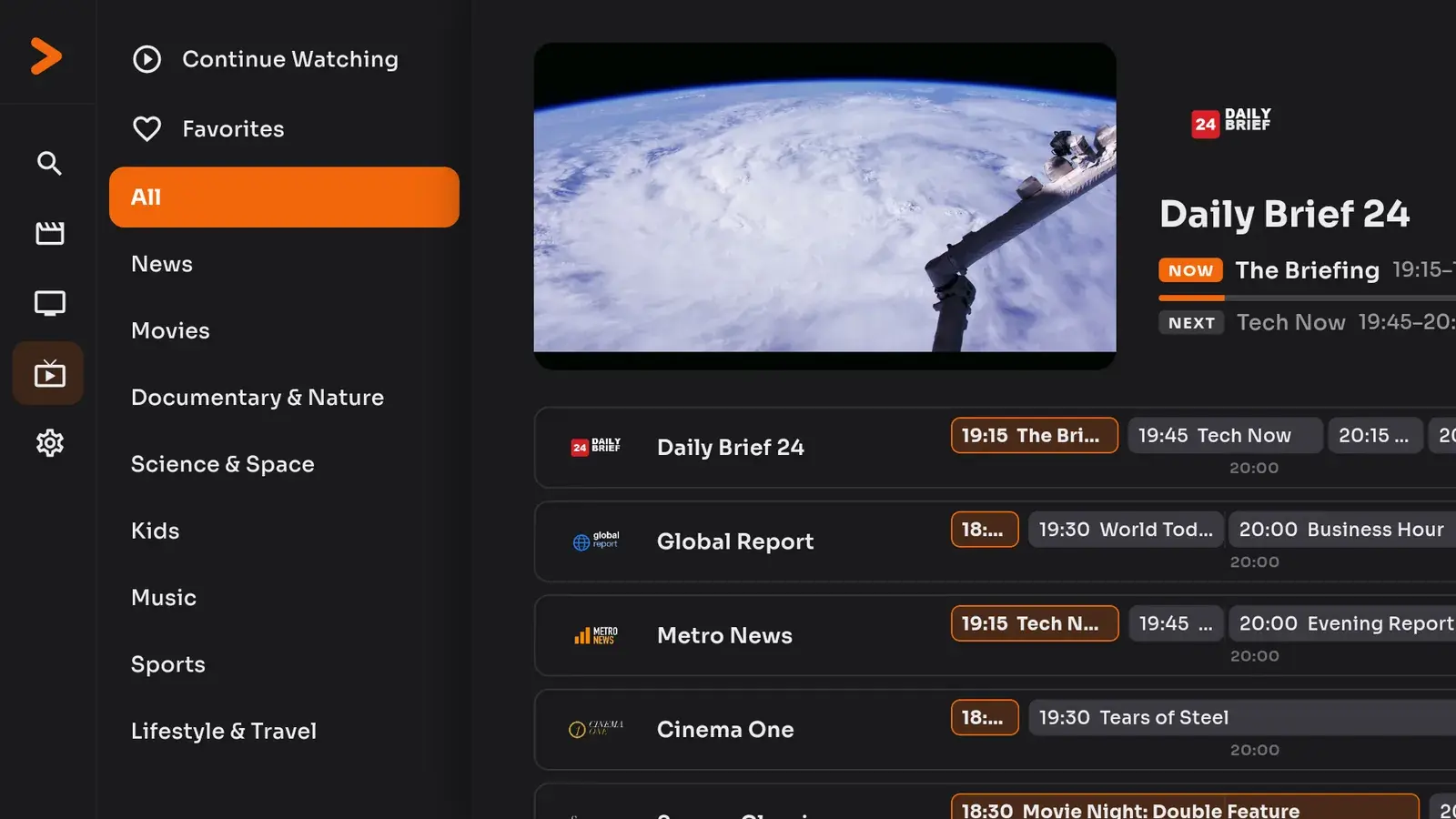
Vodeora on a TV: live channels with a programme guide
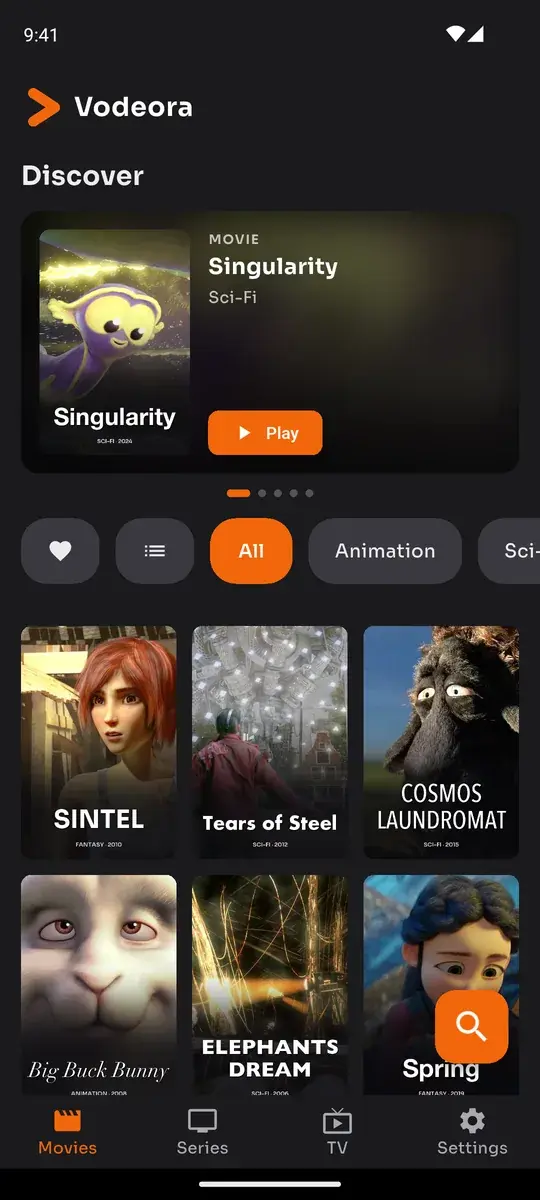
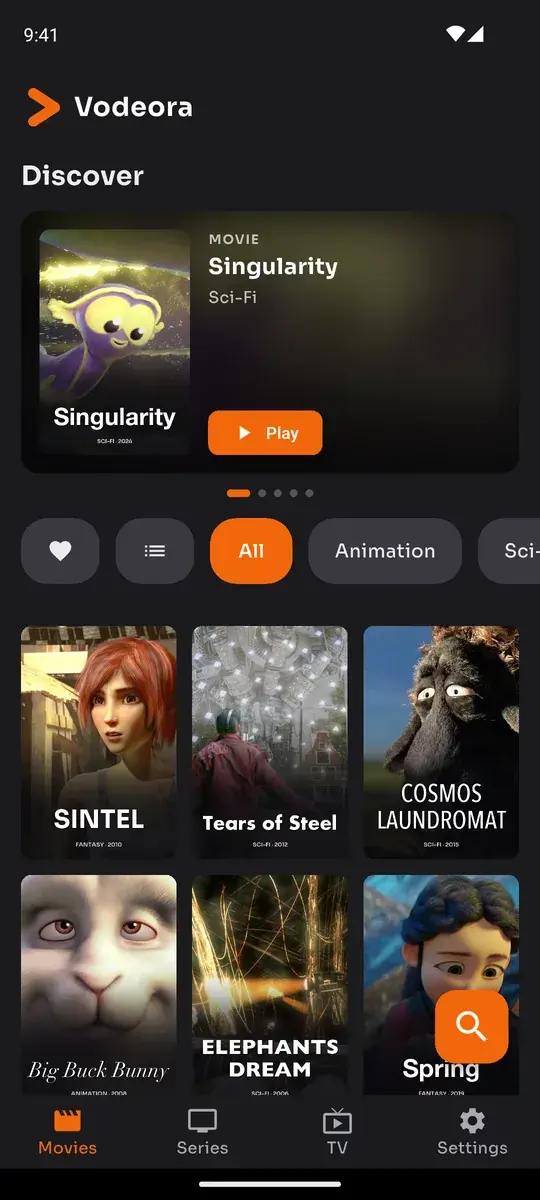
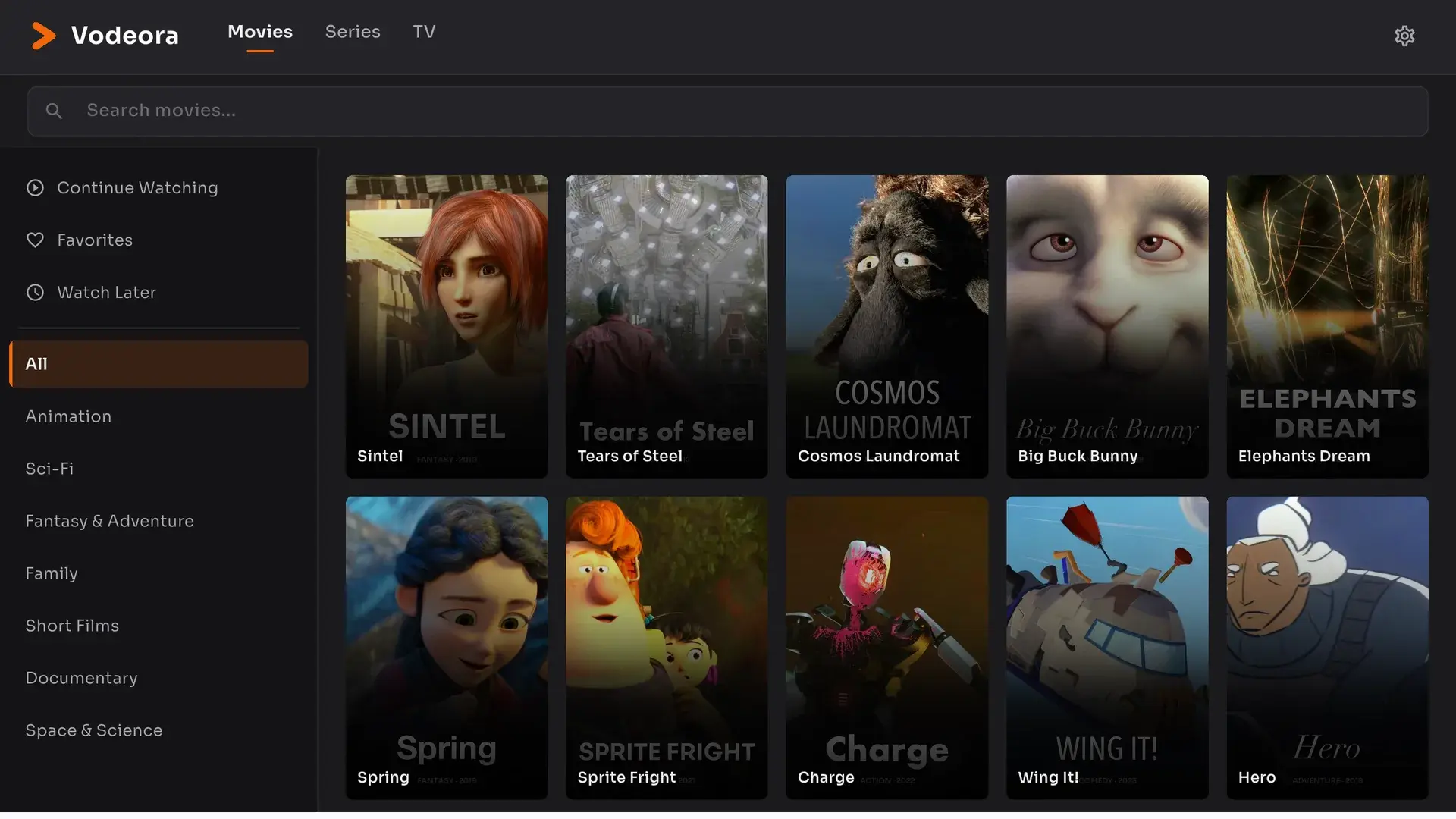
Vodeora on a phone: movies sorted by category

Continue watching

Spring

Paused on your phone · resumes on the TV

Works with
  • Xtream Codes
  • M3U / M3U8 playlists
  • XMLTV programme guide
  • Subtitles & audio tracks
  • Favourites & watch later
  • Continue watching

One account, every device

Start on the phone. Finish on the TV.

Your sources, favourites and playback position live in your Vodeora account, so every screen picks up exactly where the last one stopped.

Press play on the phone

On the way home, wherever you are.

The same film playing on a phone, a tablet, a computer and a TV, from the same second

Screens

Made to look this good on every screen

One design language from a 6-inch phone to a 65-inch TV. Real screens from the app, shown with openly licensed demo content.

Vodeora on Android TV: live channels with categories and a programme guide
01 TVLive TV on Android TV: categories, now and next, and a live preview while you browse.
Vodeora home screen on a phone
02 PhoneOn the phone: movies, series and live TV, sorted by category.
Vodeora on a tablet: the movie library with categories on the left
03 TabletTablet: the whole library, categories on the left.
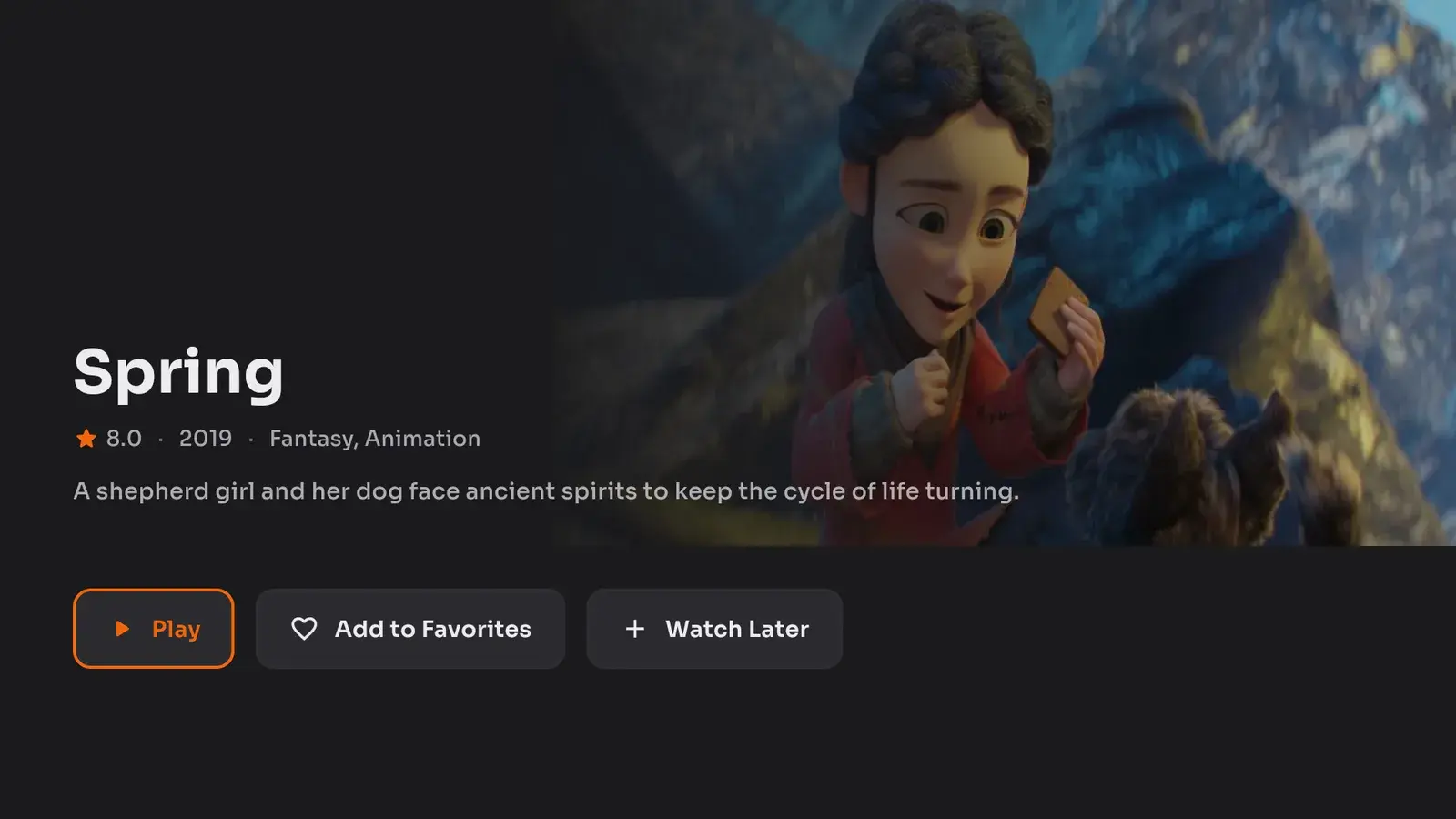
A movie's detail page on Android TV with play, favourites and watch later
04 TVDetails, favourites and watch later, one click away.
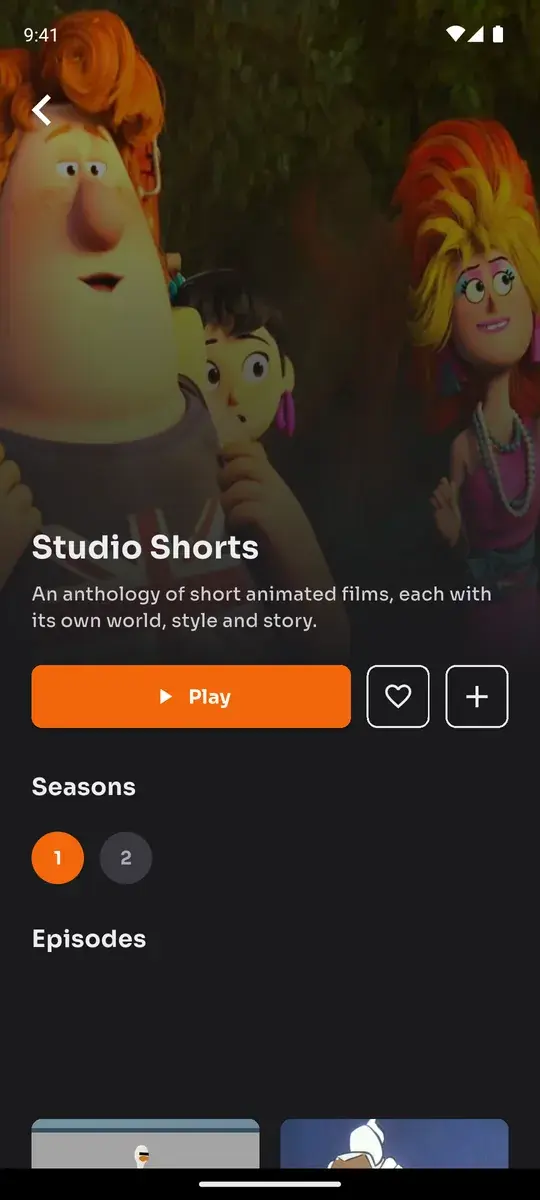
A series with seasons and episodes on a phone
05 Phone
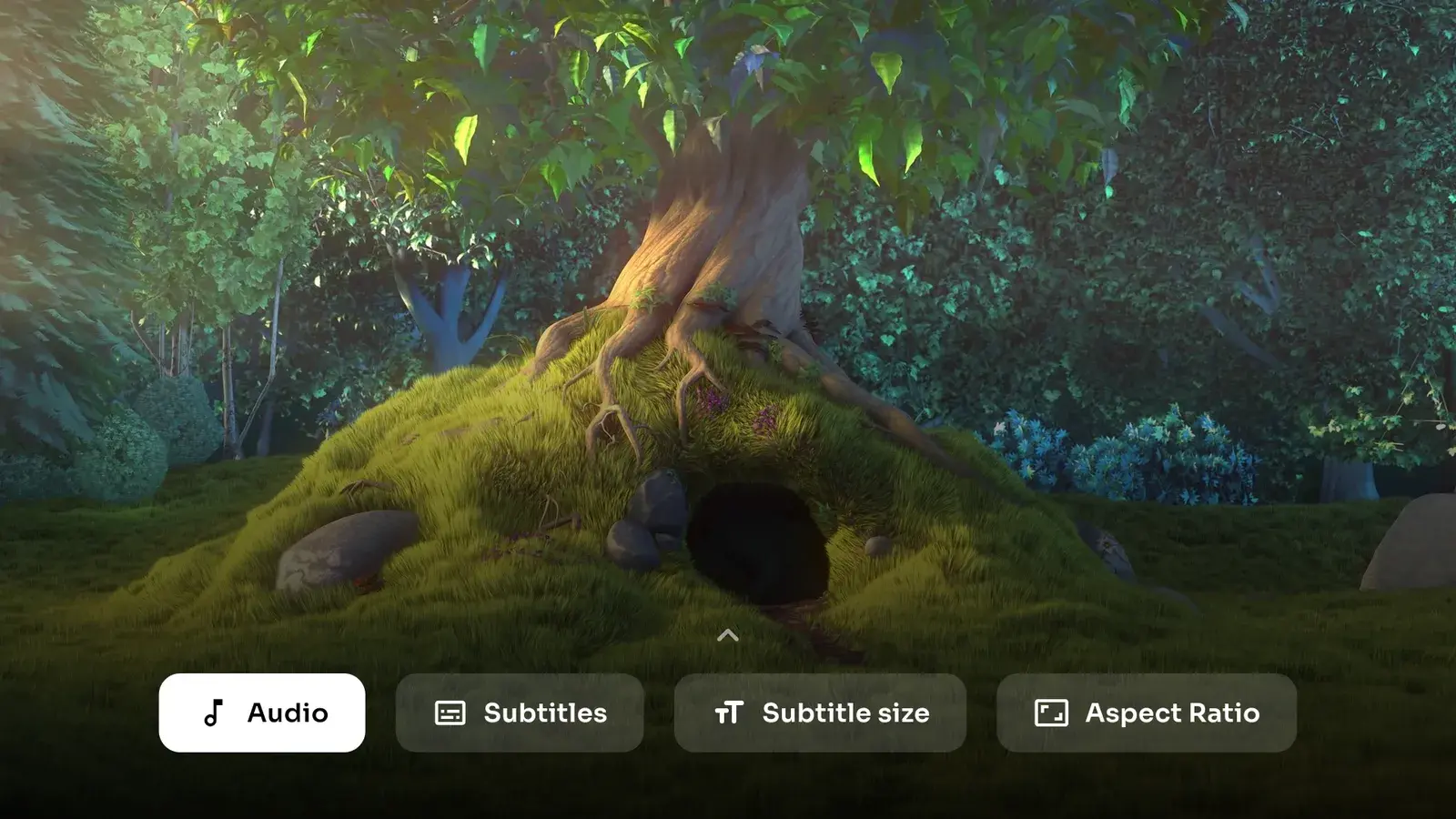
The TV player's options: audio, subtitles, subtitle size and aspect ratio
06 TVAudio, subtitles, subtitle size and aspect ratio, right in the player.
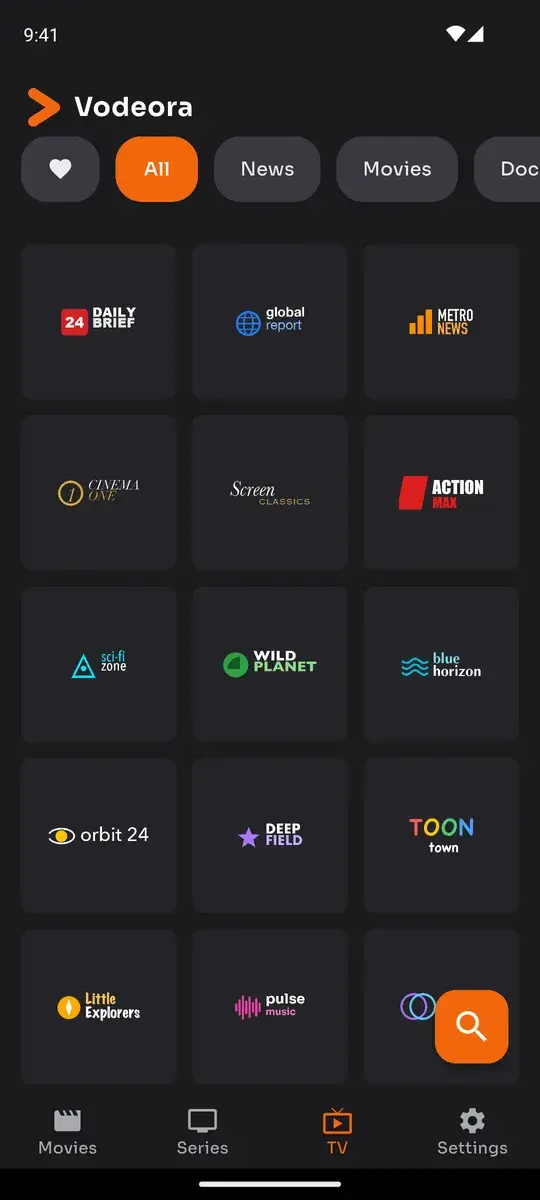
Live channels on a phone
07 Phone
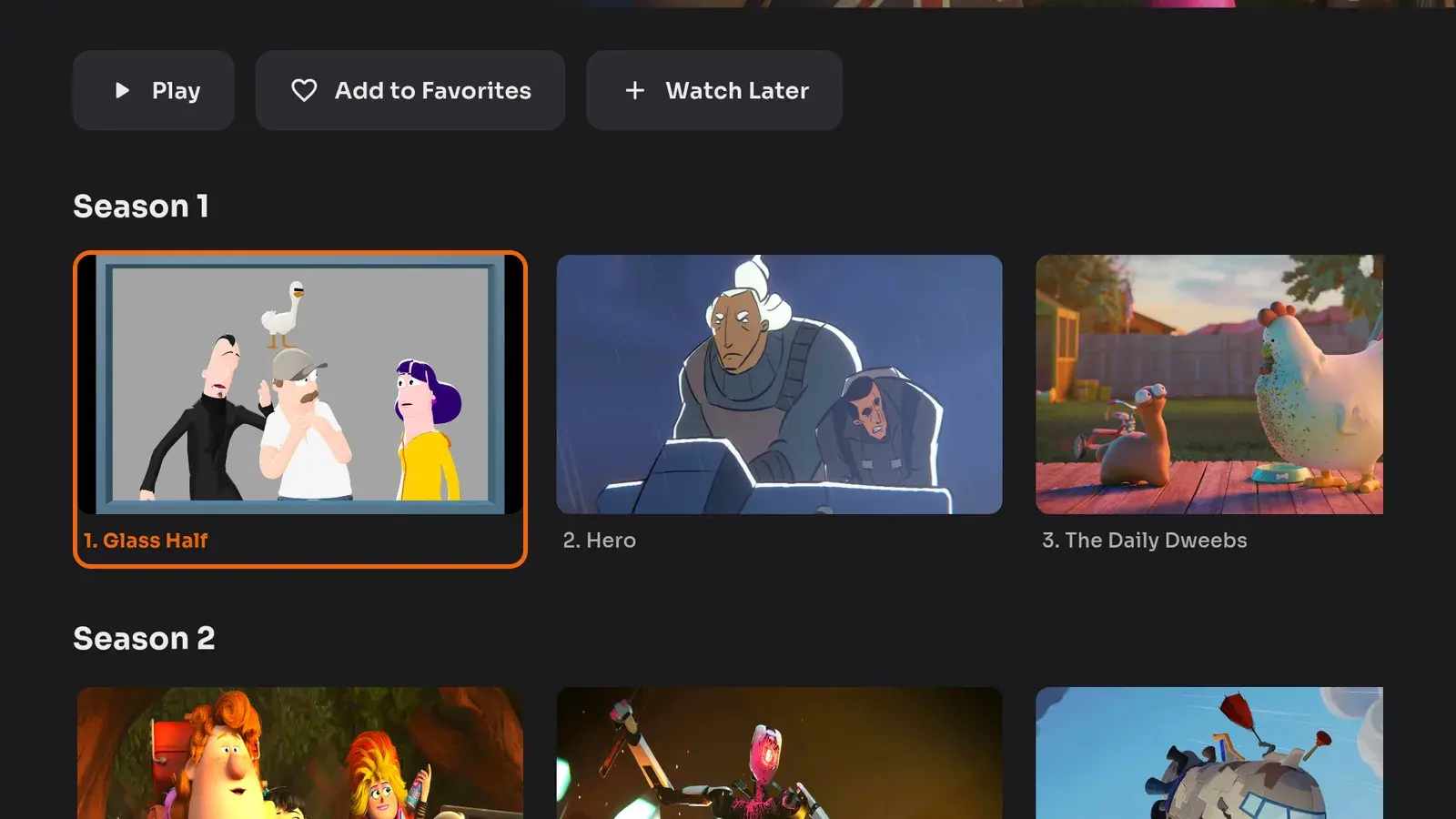
A series on Android TV with seasons and episodes
08 TVSeries with seasons and episodes.

Shown with openly licensed demo content (Blender Foundation, NASA/ESA). Vodeora includes no channels or media.

Why Vodeora

Everything you expect from a great player, for your own sources.

Vodeora is an IPTV player, not a provider: it adds no channels and no content. It makes what you already have feel like a premium service.

  1. Bring your own sources

    Add an Xtream Codes login or an M3U/M3U8 playlist, attach an XMLTV guide, and Vodeora checks the address and builds your library.

  2. Live TV with a full guide

    Now, next and later for every channel, categories, favourites and a live preview while you browse.

  3. Movies and series, organised

    Categories, search, details, seasons and episodes. Your whole catalogue, tidy and fast.

  4. Pick up where you left off

    Playback position, favourites and watch later stay in sync on every device signed in to your account.

  5. Built for the big screen

    A TV layout designed for the remote: D-pad navigation that never loses focus, and sign-in by scanning a QR code with your phone.

  6. A player that takes video seriously

    Hardware-accelerated playback, subtitles with adjustable size, multiple audio tracks and aspect-ratio control.

Pro

Vodeora Pro

Go further with Pro

Without an account you get a daily viewing allowance. Sign in and your first 3 days are free and unlimited; after that the daily allowance applies again. Vodeora Pro removes the daily limit for good and lets you keep more than one source, on your phone, tablet, TV and computer alike. Subscribe once in the phone, tablet or TV app; your computer unlocks with the same account.

How to get Pro
  • No daily viewing limit
  • More than one source on your account
  • One subscription for phone, tablet, TV and computer
Invite a friend

Share Vodeora, earn Pro

When a friend uses your invite code and subscribes to Vodeora Pro, you both get 30 extra days of Pro.

+30days for you
+30days for them

Download

Download the IPTV player for every screen

One Vodeora account on your phone, tablet, TV and computer.

Mobile

iPhone, iPad, Android phones and tablets

Desktop

macOS and Windows, unlocked by the same account

Smart TV

Android TV today. Apple TV, Samsung and LG are on the way.

On Google PlayAndroid TV
Coming soonApple TV
Coming soonSamsung TV
Coming soonLG TV

Questions

The IPTV player, explained

Short answers to what people ask before they add their first playlist.

What is an IPTV player?

An IPTV player is an app that plays live TV, movies and series from an IPTV source you already have, usually an M3U playlist link or an Xtream Codes login. Vodeora is an IPTV player: it organises and plays your source, but it supplies no channels or content of its own.

Is Vodeora a multi-platform IPTV player?

Yes. One Vodeora account works on iPhone, iPad, Android phones and tablets, Android TV, macOS and Windows. Your sources, favourites and playback position stay in sync, and up to 5 screens can play at the same time. Apple TV, Samsung and LG versions are on the way.

Which playlist formats does it support?

M3U and M3U8 playlist links, Xtream Codes logins and XMLTV programme guides. The player handles subtitles, multiple audio tracks and aspect-ratio control.

Does Vodeora include channels or an IPTV subscription?

No. Vodeora is only a player. It does not provide, sell or recommend any channels, playlists or IPTV subscriptions. You watch content from a source you are authorised to use.

Is the IPTV player free?

You can start for free with a daily viewing allowance, and your first 3 days after signing in are unlimited. Vodeora Pro removes the daily limit for good and lets you keep more than one source.